


What Changes When Your Event Grows From 200 to 1,000 Attendees?

Quick Answer: What Changes From 200 to 1,000 Attendees?
Growing from 200 to 1,000 attendees changes the production footprint, coverage, and coordination needed to keep every guest connected to the program. Large corporate event AV must account for longer viewing distances, wider audio coverage, larger or additional screens, possible IMAG cameras, staging, lighting, venue infrastructure, and a crew that can manage simultaneous demands.
The headcount is a starting point. A deep ballroom, a wide seating plan, a detailed presentation, or several concurrent breakouts can each change the solution. The goal is to give the back row the same opportunity to hear, see, and participate as the front.

Audio Coverage: Scale Clarity Across the Room
Turning up the same speakers rarely solves a larger room. It can make the front seats uncomfortable while distant listeners still struggle with speech. A wider or deeper audience requires a fresh look at speaker coverage, placement, acoustics, and system tuning.
The design may call for front fills, coverage for side seating, or delayed speakers farther into the room. These are coordinated parts of a system, with levels and timing adjusted to support intelligibility. Room shape and surfaces matter as much as attendance.

Microphones and Audience Participation
More attendees do not automatically require more stage microphones. The agenda determines how many people speak at once. What often changes is the audience Q&A workflow: roaming microphones need assigned staff, clear routes, and enough time to reach people.
Plan wireless frequency coordination across the event, microphone fitting, battery changes, and ready backups. If you add recording, streaming, or overflow rooms, define their audio feeds separately. Include assistive listening needs in the planning conversation so participation is considered from the outset.

Video, Screen Size, and IMAG: Keep the Message Visible
Video and Sightlines
A slide that was readable at a 200-person meeting may fail from the back of a larger ballroom. Size and position screens around the farthest viewer, the most difficult seating angle, and the smallest detail attendees need to understand. Test real content, especially charts, product demonstrations, and financial presentations.
Larger screens are one option; additional side or relay screens may serve a wide room better. Compare projection and LED around ambient light, ceiling height, image quality, installation space, and budget. Neither technology fixes dense slides or a blocked sightline.

When Does IMAG Become Important?
IMAG, or image magnification, puts live camera views of speakers and onstage activity on screens in the room. It becomes valuable when guests lose facial expressions, gestures, panel interactions, or demonstration details at a distance. There is no universal headcount at which it becomes mandatory.
For a 1,000-person keynote, evaluate IMAG early. Reserve camera positions and platforms before finalizing seats, and plan lenses, operators, switching, and stage lighting together. Decide when screens show the speaker, slides, or both; a single display cannot always give each element enough space.
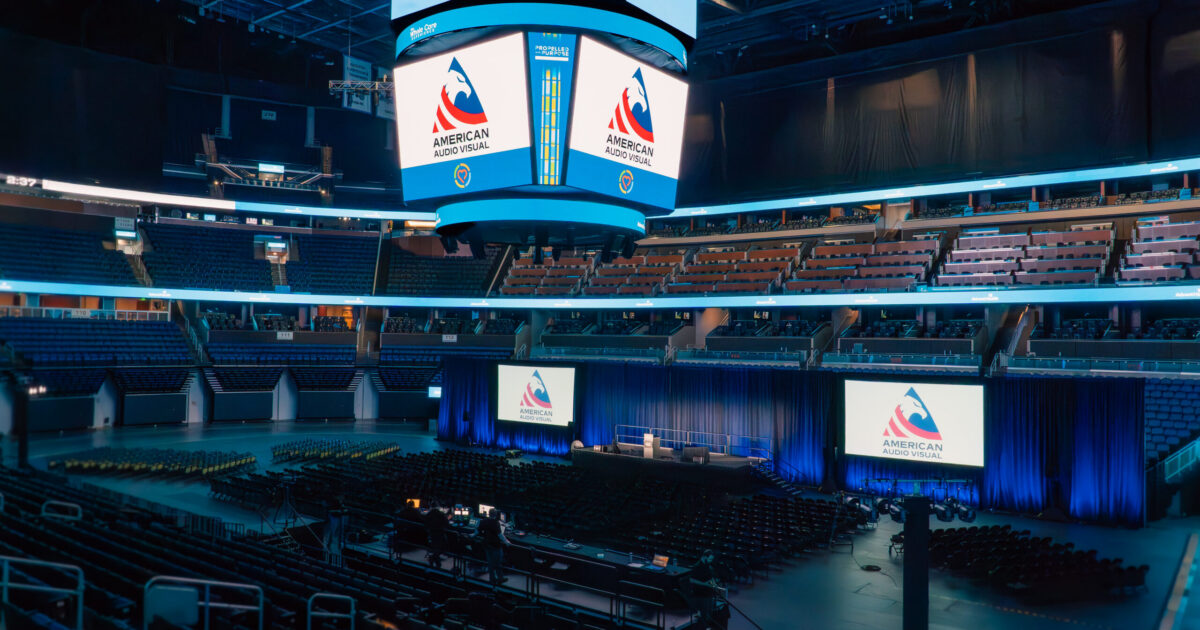
AAV’s Dallas general-session case study shows how a main LED display and side screens can support a larger presentation environment.

Stage, Scenic, Lighting, and Room Infrastructure
Stage and Scenic Scale
A stage can feel disconnected in a much larger ballroom, but increasing its dimensions should follow the program. Map keynote movement, panel seating, awards groups, furniture resets, and presenter entrances. Confirm stage height and depth against sightlines, screen placement, accessible stage access, and backstage holding space.
Scenic elements help frame the brand and make the stage feel proportionate. They also occupy floor area, add installation work, and can block screens or cameras. Review the full stage picture from several audience positions before approving the look.

Lighting for the Room and the Cameras
As the stage and camera coverage expand, presenters need consistent light wherever they speak. Plan separate looks for keynotes, panels, walk-ups, and recognition moments. Balance faces with the brightness of video displays, then use room lighting to support the atmosphere and audience movement.
Lighting for IMAG needs camera checks as well as an in-room review. Confirm that a presenter moving away from the lectern remains visible and that decorative light does not compromise slide readability.

Rigging, Power, and Internet
Larger audio, lighting, or video systems may need overhead support. Review ceiling height, approved rigging points, load information, required drawings, house services, and installation windows with the venue and qualified specialists. Ground support also consumes space and needs an appropriate design.
Confirm electrical service and distribution around the actual equipment plan. Separate production connectivity requirements from attendee Wi-Fi: remote speakers, streaming, cloud content, and registration may need dedicated arrangements and tested fallback options. Review venue rules that affect event AV before the design is locked.
More Attendees. More Connections to Plan.

Technical Crew and Breakouts: More Work Happens at Once
Labor and Technical Crew
Staffing should follow simultaneous responsibilities. During one transition, audio may handle microphones, video may roll a file and change screens, lighting may move to a new look, and a stage manager may bring on the next presenter. One person cannot reliably cover every position when those tasks overlap.
Scope audio, video, lighting, camera, stage, and show-management roles around the agenda. Include setup, programming, testing, rehearsals, show operation, room changes, breaks, and strike. A larger production can also need a dedicated production manager to coordinate departments and venue services.

Multi-Room and Breakout Implications
Five hundred additional attendees may mean another general-session seating block, more breakouts, or a second ballroom operating at the same time. Those scenarios need different budgets and staffing. Build a room-by-room schedule showing capacity, format, presenter needs, session start times, and turnaround windows.
Standardize presentation formats and core room packages where practical, while allowing for panels, workshops, and remote contributors. Define who supports each room, how presenters request help, where spare equipment lives, and how issues escalate. A shared technician needs realistic travel time and cannot cover conflicting starts everywhere.
See AAV’s multi-room Dallas event production for an example spanning a general session, luncheon and awards room, and breakouts.

Rehearsals, Show Flow, and Venue Logistics
Rehearse the Connections Between Departments
A larger audience does not automatically create a more complicated script, but expanded systems and more presenters increase the number of handoffs. A working run of show should identify who speaks, what appears on each screen, which microphones are live, lighting changes, stage resets, and who calls each cue.
Protect time for a technical cue-to-cue rehearsal and presenter practice after systems are ready. Walk through the keynote-to-panel change, awards entrances, remote connections, and video endings. Test confidence monitors, timers, actual presentation files, and backup playback. Assign one controlled version of the show document and a clear approval path for late changes.
Our look at how AAV prepares for show day explains why preparation belongs in the production scope.

Venue Logistics and Attendee Experience
More equipment and people change the load-in plan. Confirm dock appointments, truck access, freight elevators, door dimensions, storage, empty-case locations, and the sequence of work with other vendors. Check when the room is actually available, including installation, testing, rehearsal, changeovers, and load-out.
Audience movement also takes longer. Coordinate registration queues, doors-open timing, wayfinding, breakout travel, and meal transitions with the planning team. Keep production positions and cable routes clear of circulation paths. Where the program needs overflow coverage, plan the feed, displays, audio, and support as a complete audience space.
A polished experience depends on these quieter details: guests finding their next session, speakers reaching the stage on time, and the crew having enough access to reset the room without rushing.
How Early Planning Helps—and What AAV Looks At
Make Growth a Planning Input
Bring your AV partner into venue evaluation and initial budgeting. Early room studies can expose a capacity problem, an unsuitable ceiling, or a short setup window while there is still time to choose another approach. Share a realistic attendance range and agree on the dates when seating and production decisions must be confirmed.
Ask for the cost impact of specific scenarios: a larger main room, additional breakout tracks, IMAG, or an extra rehearsal day. Five times the attendance does not mean five times the AV cost. Scope changes tend to follow systems, rooms, labor, and time. Our corporate event AV budget guide helps planners frame those tradeoffs.

What AAV Looks At When Scaling Production
At American Audio Visual, we look at large corporate event AV as a connected plan for the audience, presenters, and operating team. Start the conversation with:
- Audience and outcomes: attendance range, seating format, accessibility needs, and the messages people must take away.
- Room and infrastructure: dimensions, sightlines, ceiling height, rigging, power, internet, and venue services.
- Agenda and content: concurrent sessions, speaker count, panels, demonstrations, media, and recording or streaming requirements.
- People and access: technical responsibilities, show leadership, loading windows, rehearsal time, and changeovers.
- Investment priorities: essential coverage, appropriate backups, presenter support, and enhancements that serve the event’s goals.
We use those inputs to discuss a production approach that can grow with the program. Explore AAV’s event production services and our planning process to see how the conversation moves from goals to show-day execution.